The reef controller that fails safe.
ReefBoss watches temperature, pH and salinity, runs your lights, pumps and heaters on their schedules, and tells your phone when something drifts. If a cable, a board or the power fails, the return pump and powerhead stay on.
Two probes, plus Sensor Port probes
Two- or three-point calibration
Conductivity, temperature compensated
Float switches on the Sensor Ports
Everything on the tank, on one schedule.
Every outlet and output gets a program. Set it once in the app, change it from the wall panel or your phone.
Lights and pumps on a timetable
Sunrise and sunset ramps, moonlight that follows the moon, passing clouds and storms, and new lights brought up to full over weeks. Drag the schedule with a finger; photo and night modes are one tap away.
Thermostat with a safety limit
Heaters and fans hold a set point. A hard limit cuts the heater, and a heater that runs an hour without warming the water raises an alarm.
Top-off that can't flood
The ATO pump runs from a float switch with a maximum run time. Hit it and the pump locks out until you check the sump.
Feed and water-change modes
One tap pauses the return, powerheads and skimmer. When it ends, each comes back after its own startup delay so the skimmer doesn't overflow.
Rules for the odd cases
Leak sensor wet: return pump off. Temperature over 28 °C: fans on. Up to twelve rules, each with a hold time and an optional alarm.
Jebao Wi-Fi pumps, no cloud
Jebao Wi-Fi wavemakers become ports like any other: flow on a schedule, wave mode and frequency, off during feeding, controlled over your home network.
More than a controller.
The ReefBoss keeps the tank's whole story on its own SD card: readings, power, tests, notes and photos. You see it from any screen in the house.
A dashboard on every screen
Type the ReefBoss's address into any phone, tablet or computer: the full dashboard, nothing to install. Tablet mode turns a spare tablet into a big display by the tank that dims when the lights go out.
What each outlet costs you
Smart power strips report the watts of every outlet. See today's energy, which pump or heater uses the most, and what the tank costs in a year at your power price.
Graphs that explain themselves
Point at a graph to read it, drag to zoom into an hour, and put two readings side by side. Feedings, top-offs, alarms, power cuts and water tests are marked right on the timeline.
A logbook that does the math
Log water tests and see the trend. Maintenance reminders tick themselves off. The dosing helper works out what the tank uses and the dose that holds it; the salt calculator handles mixing and corrections.
Your tank's photo album
Dated notes and photos sit on the graphs at their date, so you can see what changed. Keep a list of every fish, coral and invertebrate, with when it arrived and where from.
The full story after a bad night
When an alarm goes off, the hour before it is saved: readings, what each port did and the log. Power cuts are reported when the power comes back, and a weekly report sums up the week on one printable page.
Every change, and a way back
A change log shows who changed what from which phone or panel. Undo the last change, or put every setting back the way it was on any earlier day.
Works with Home Assistant
Readings, alarms, every port and the feed and maintenance buttons appear in Home Assistant by themselves over MQTT. The ReefBoss stays in charge of the tank.
Right on your phone's home screen
Widgets show the tank's health, readings and the last 24 hours. Start feed mode from a widget, Quick Settings or the Google Assistant: the app asks before anything stops.
Built for the night something breaks.
Every output has a fail state that the power bar holds by itself. The circulation stays on; everything that could cook, flood or overdose stays off.
Four pieces, one bus.
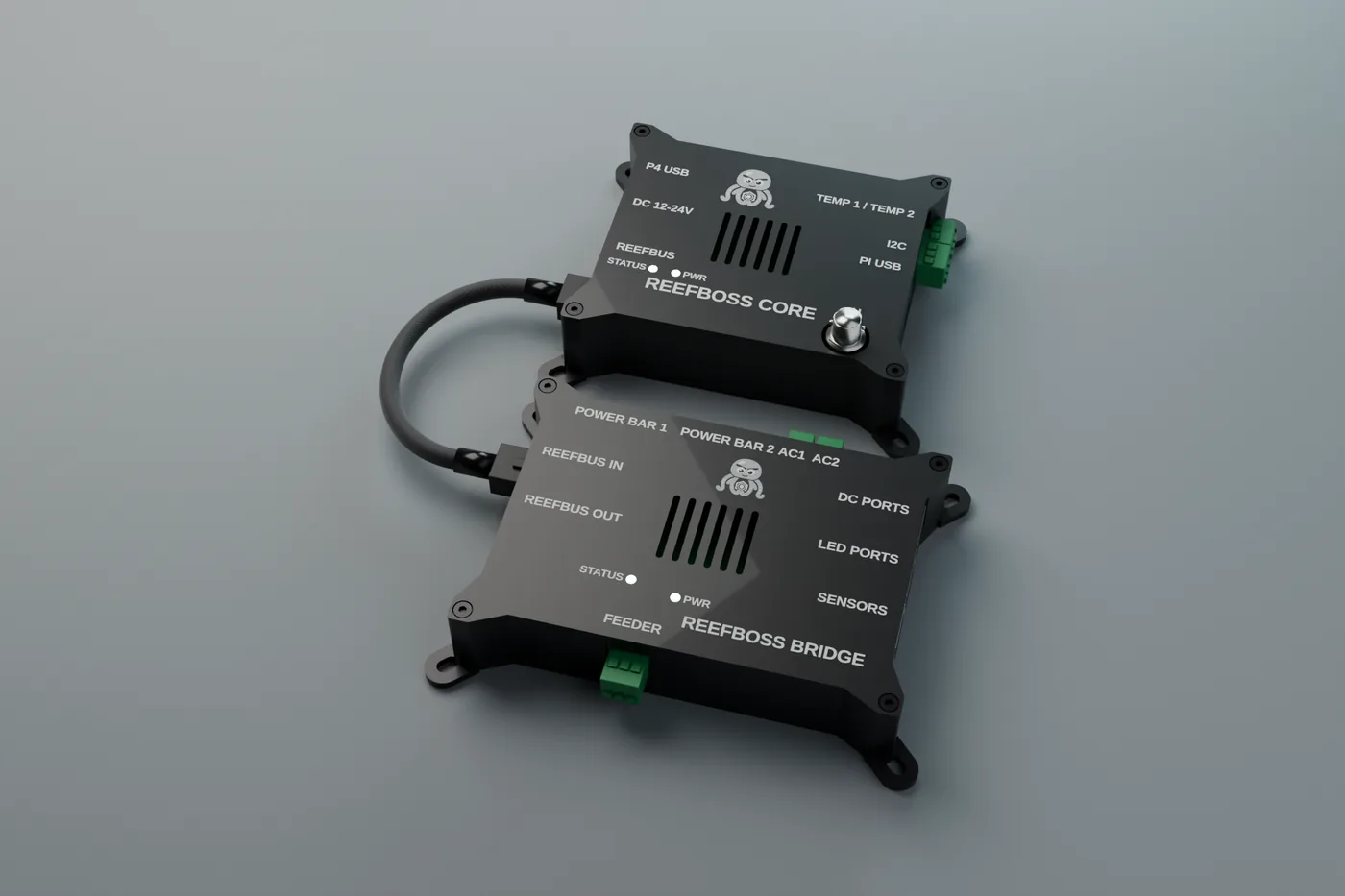
The controller does the thinking. A bridge module drives the power bars you already own, and everything talks over ReefBus, a twisted-pair CAN link that also carries power.
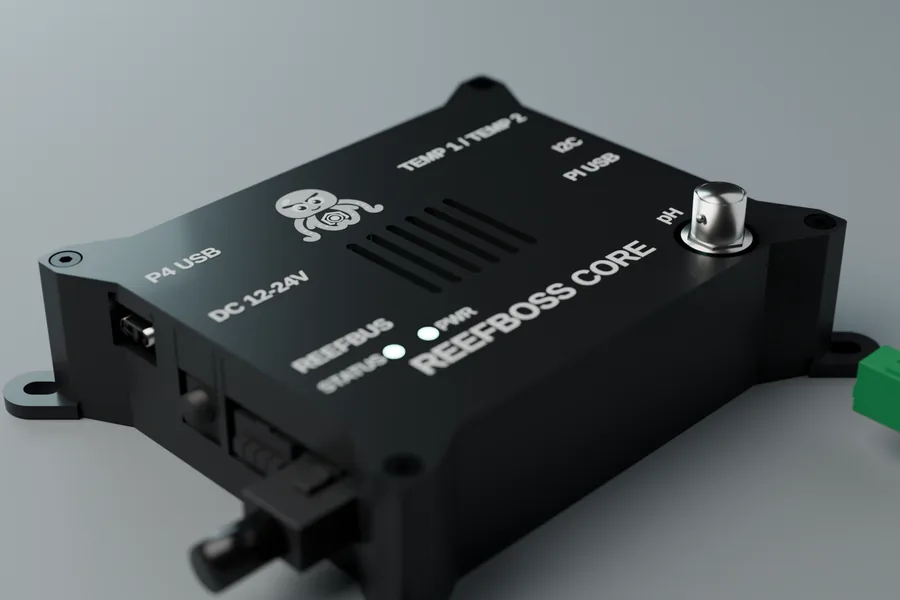
ReefBoss Core
Runs every program, reads temperature, pH and salinity, keeps the history and sends the alerts.
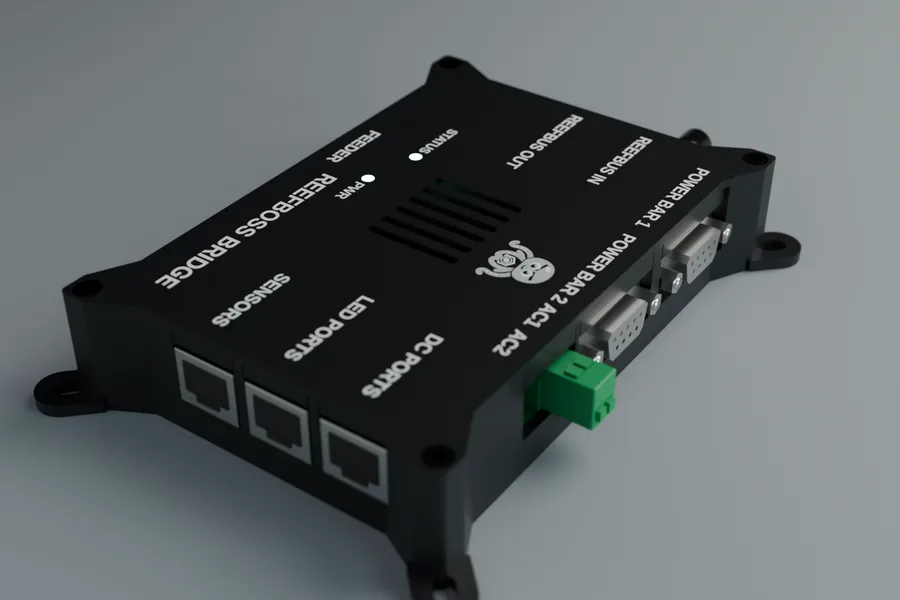
Bridge
Drives Robo-Tank power bars, DC and PWM outputs, and holds every port in its fail state on its own.
Requires Robo-Tank hardware, available from robo-tank.ca.
Wall panel
Readings at a glance, alarms, feed and maintenance buttons, and Auto / On / Off for every port.
App and web page
Programs, schedules, rules, calibration, graphs, the logbook, firmware updates and phone alerts. The same dashboard opens in any browser.
What's in the box.
ReefBoss Core
- Processor
- ESP32-P4, Wi-Fi 6
- Inputs
- 2 temperature probes (DS18B20), isolated pH (BNC), I2C header for the Robo-Tank conductivity board
- Keeps
- On its SD card: a year of history, events, energy, alarm snapshots, the journal, settings history, and firmware for every part (updates without the internet). Real-time clock with coin cell
- Power
- 24 V over ReefBus, or 12–24 V barrel jack
Bridge
- Outlets
- 2 Robo-Tank power bars, 16 outlets
- Low voltage
- 6 DC ports and 8 PWM / analog outputs (0–10 V dimming) through the Robo-Tank DC & LED module, plus the feeder
- Sensors
- 6 ports through the Robo-Tank sensor module: floats, optical, leak, flow, DS18B20, DHT22
- Safety
- Own watchdog and fail states, backup floats on the return pump and powerhead
Wall panel
- Screen
- 7" 1024 × 600 touch
- Shows
- Readings, alarms, every port with Auto / On / Off
- Buttons
- Feed, maintenance, lights, stop all, with confirmation for anything that moves water
- Connects
- Wi-Fi to the Core, live updates
App & cloud
- App
- Android and Windows: schedules, rules, calibration, graphs, logbook, journal, alerts, home-screen widgets
- Web page
- Served by the Core to any browser: the full dashboard, tablet mode, add to home screen
- Home Assistant
- MQTT with automatic discovery: readings, alarms, ports, modes
- Wi-Fi pumps
- Jebao Wi-Fi wavemakers on your home network
- ReefBoss Cloud
- Optional: remote access and phone alerts, sealed end to end
- Updates
- Signed firmware for the Core, Bridge and panel, with automatic rollback
A system that grows with the tank.
Every module plugs into the same ReefBus cable, carries its own fail-safe, and replaces a piece of Robo-Tank hardware or adds something new. The Core never changes.
Sensor module
8 ports for the sensors you already own, set up in the app. Spots a cut or unplugged wire instead of reading "water OK". Two analog inputs for level and pressure sensors, and an optional scale for the top-off reservoir.
DC module
Every port is its own adjustable supply, 5 to 24 V: steady for electronics, variable for quiet pumps, or PWM at its own frequency. 0–10 V dimming for lights with their own supply.
Probe module
Salinity with any K1.0 to K10 probe, plus ORP, fully isolated and mounted near the sump. Stray-voltage detection warns when a heater or pump leaks current into the water.
Doser
Four stepper pumps with the safety limits on the doser itself: maximum per dose and per day, locked until you clear it. Container levels, and kinked-tube detection.
Power bar adapter
A small ReefBus adapter that drives a Robo-Tank power bar directly, so the Bridge can retire while your power bars stay.
Smart power strips
Matter Wi-Fi strips as extra outlets with power readings and energy cost, each outlet switching itself off if the ReefBoss stops checking in. A cheap way to add ports. Running on the test tank now.
Your pumps tell you when they need cleaning.
Outlets and DC ports that measure power learn what each piece of equipment normally draws, then speak up when that changes:
- Slowly rising: a return pump or powerhead wearing or clogging with calcium.
- Suddenly zero: a dead pump, a burned-out heater, a tripped cutout.
- Drawing while off: a stuck relay.
Modules are in design; features and timing may change.
Your tank answers to you, not a server.
ReefBoss runs on your home network. No account needed, and nothing stops working when a server goes down. ReefBoss Cloud is optional, and it can't read your tank.
- Local control. The app and the wall panel talk to the controller directly.
- Its own logins. Each phone, PC and panel pairs with a code and can be removed on its own.
- Never locked out. Set it up in a few taps from your phone. New phone, lost phone or forgotten password: get back in at the controller itself, with nothing reset and nothing to set up again. An optional account adds getting back in from anywhere, and every paired phone is told first.
- Away from home, no router setup. With ReefBoss Cloud on, the app reaches your tank from anywhere. Everything is sealed with keys only your ReefBoss and your devices hold.
- Alerts only you can read. Alarms reach your phone sealed end to end; the server in between sees scrambled text.
- Signed updates. The controller, Bridge and wall panel install only firmware signed by ReefBoss, and roll back by themselves if a new version can't reconnect.
Local first, fail-safe by design.
| ReefBoss | Many cloud-first controllers | |
|---|---|---|
| Internet down | ✓Everything keeps running: schedules, alarms, panel, app at home | Remote features stop; some need the cloud for setup |
| Controller or cable fails | ✓The Bridge holds every port in its fail state: return pump and powerhead on | Depends on the model |
| Remote access | ✓No router setup, sealed end to end; the server sees only scrambled data | Through the maker's cloud, which can read your data |
| Account | ✓Not needed: each phone or PC pairs with a code. Optional, only to get back in from a new phone | Usually required |
| Hardware you own | ✓Runs Robo-Tank power bars, modules and sensors | Usually its own accessories only |
Questions reefers ask.
Can I buy one?
Not yet. ReefBoss is in development and the first boards are in production now. It's being proven on a real tank before anything is sold.
Do I need Robo-Tank hardware?
For outlets and modules, yes, today: the Bridge controls Robo-Tank power bars, the DC and LED module and the sensor module, available from robo-tank.ca. The Core on its own reads temperature, pH and salinity and runs Jebao Wi-Fi pumps. Native ReefBus modules and smart power strips are planned as alternatives.
Does it work without the internet?
Yes. Schedules, the thermostat, top-off, alarms, the wall panel and the app at home all work over your own network. The internet is only needed for remote access and alerts away from home, and for downloading firmware updates (the ReefBoss keeps the last versions on its SD card).
What happens if something fails?
If the controller stops, a cable is cut or a board loses power, the Bridge puts every port into its fail state on its own: the return pump and powerhead stay on, everything else turns off. Backup floats can still cut the return pump and powerhead in hardware.
What is ReefBoss Cloud?
An optional service for reaching your tank and getting its alerts away from home, without opening anything on your router. Everything is sealed with keys only your ReefBoss and your paired devices hold, so the server can't read or control your tank. It's off until you turn it on.
Which Jebao pumps work?
Jebao Wi-Fi wavemakers that use Jebao's local network protocol. It has been tested on the MLW-5. Flow, wave mode, frequency and feed pause are all controlled over your home network, with no Jebao cloud.
Can I keep my probes and sensors?
Yes: DS18B20 temperature probes, a standard BNC pH probe, the Robo-Tank conductivity board, and the floats and optical sensors on the Robo-Tank sensor module.
Which phones and computers?
Any of them: the ReefBoss serves its own dashboard to any browser on your network, iPhone and Mac included. The app runs on Android and Windows today, with widgets on Android, and the wall panel gives a touch screen at the tank.
Does it work with Home Assistant?
Yes. Turn on MQTT and point it at your broker (for example Home Assistant's Mosquitto add-on): readings, alarms, every port and the mode buttons appear by themselves. Home Assistant can show and switch things, but the ReefBoss keeps running the tank on its own.